
What’s Actually Changing in the Microsoft Stack — and What to Do About It
Updated 2026 | A Practical Guide for IT Leaders, Business Owners, and Microsoft Ecosystem Customers
Written by Microsoft technology practitioners | For organisations running Microsoft 365, Azure, or Power Platform and planning their 2026 technology strategy
Microsoft services in India has made more significant changes to its product portfolio in the last two years than in the previous decade combined. The arrival of OpenAI’s technology as a foundational layer across the entire Microsoft stack — from Word to Azure, from Teams to GitHub — has accelerated a product evolution that is affecting every organisation that runs Microsoft software, which is most of them.
For businesses that rely on Microsoft 365, Azure, or Power Platform, 2026 is not a quiet upgrade cycle. It is a year where decisions about how to adopt, govern, and get value from Microsoft’s AI capabilities will shape productivity, security posture, and competitive position in meaningful ways. The organisations getting ahead are the ones that understand what has actually changed in the Microsoft stack — not just what Microsoft’s marketing is saying about it.

The direct summary: Microsoft has embedded Copilot — its AI layer — into virtually every product in its portfolio. Azure AI infrastructure has matured into a production-ready platform. Microsoft Fabric has unified the data estate in ways that were not possible two years ago. And Microsoft’s security portfolio has become one of the most integrated in the industry. This guide breaks down what each of these means in practice for organisations running the Microsoft stack.
Microsoft Technology Trends 2026 — Quick Reference
Here is an overview of the most significant Microsoft product and technology trends for 2026, their business priority, and what each one means in practice:
| Microsoft Trend / Product | Priority | What It Means for Your Business |
| Microsoft Copilot (M365 + Copilot Studio) | Critical | AI embedded across Word, Excel, Teams, Outlook — and custom agents built in Copilot Studio for business-specific tasks |
| Azure OpenAI Service + AI Foundry | Critical | Enterprise-grade access to OpenAI models on Azure; tool for building, fine-tuning, and deploying custom AI applications |
| Microsoft Fabric | Critical | Unified analytics platform replacing Power BI, Synapse, and Data Factory with a single lake-centric data estate |
| Copilot+ PCs and on-device AI | High | NPU-equipped Windows hardware running AI features locally — Recall, image generation, real-time translation without cloud dependency |
| Power Platform + Copilot automation | High | Low-code automation at scale; Power Automate and Power Apps enhanced with Copilot for faster workflow development by non-developers |
| Azure Arc and hybrid cloud management | High | Consistent policy, security, and governance across on-premises, multi-cloud, and edge from a single Azure control plane |
| Microsoft Security Copilot | High | AI-assisted security operations — threat investigation, incident summarisation, and guided remediation within the Microsoft security stack |
| Teams Rooms + AI meeting intelligence | Medium | Intelligent speaker recognition, real-time translation, AI-generated meeting notes, and action item tracking in physical and hybrid meetings |
| GitHub Copilot Enterprise | Medium | AI code generation, review, and documentation embedded in developer workflows at enterprise scale |
| Microsoft Entra and Zero Trust identity | Medium | Expanded identity and access management — replacing traditional AD with cloud-first, conditional access, and passwordless authentication |
1. Microsoft Copilot — The AI Layer Across Every Product
Microsoft Copilot is not a single product. It is an AI capability embedded across the entire Microsoft 365 suite, Azure, the Power Platform, GitHub, and Windows. In 2026, the question for Microsoft customers is no longer whether Copilot is available — it is whether your organisation has a coherent plan for adopting it, governing its outputs, and measuring whether it is producing the productivity improvements that justify the additional licence cost.
The M365 Copilot licence (typically $30 per user per month as of 2025 pricing) unlocks AI features across Word, Excel, PowerPoint, Outlook, and Teams. The genuine value in 2026 is for roles where the volume of content generation, summarisation, and communication is high — executives, project managers, sales professionals, legal and compliance teams, and HR. For roles where these tasks are a minor part of the job, the ROI case is weaker.
The more strategically interesting development is Copilot Studio — the platform that allows organisations to build custom AI agents trained on their own internal data and workflows. A Copilot that knows your company’s pricing model, product catalogue, and internal policies is considerably more useful than a generic AI assistant. Copilot Studio is the tool that makes that possible, and the organisations investing in custom agent development in 2026 are building differentiated internal capabilities that generic rollouts cannot replicate.
| Product | What Copilot Does In It |
| Microsoft Word | Drafts, rewrites, summarises documents; generates first drafts from bullet points |
| Microsoft Excel | Generates formulas, analyses trends, explains data patterns in plain language |
| Microsoft Outlook | Drafts email replies, summarises email threads, schedules meetings intelligently |
| Microsoft Teams | Recaps missed meetings, answers questions from meeting transcripts, generates action items |
| Microsoft PowerPoint | Creates presentations from prompts, redesigns slide layouts, generates speaker notes |
| Power Automate | Builds automation flows from natural language descriptions without code |
| Copilot Studio | Lets businesses build custom AI agents and chatbots trained on their own data and processes |
| Security Copilot | Guides security analysts through incident investigation with AI-assisted threat context |
| GitHub Copilot | Writes, completes, explains, and reviews code across languages and development environments |
One honest caveat: Copilot adoption in enterprises has been slower than Microsoft’s marketing suggests. The main barriers are data governance (Copilot can surface any document the user has access to, which makes overly permissive SharePoint access a suddenly visible problem), change management (people need to be taught to use AI tools effectively, not just given access), and licence cost justification. Understanding these barriers before rollout is more valuable than the rollout itself.
2. Azure AI Foundry and OpenAI Service — Enterprise AI Infrastructure
Azure OpenAI Service has moved from an interesting pilot capability to the default enterprise AI infrastructure for organisations in the Microsoft ecosystem. In 2026, it is where enterprises build, fine-tune, deploy, and govern custom AI applications built on GPT-4o, o1, and other OpenAI models — within Azure’s security, compliance, and data residency boundaries.
Azure AI Foundry (the rebranded Azure Machine Learning with AI capabilities integrated) is the development platform where data scientists and AI engineers build production AI applications. It includes model management, prompt engineering tools, evaluation frameworks, and the monitoring infrastructure that production AI systems require. For organisations that want to build AI into their products or internal operations — not just use Microsoft’s pre-built Copilots — AI Foundry is the platform where that happens.
The practical question for technology leaders in 2026 is not whether to use Azure AI but how to govern it. Model access, output logging, cost management, and AI policy compliance all need to be in place before significant workloads are running in production. Microsoft Purview is being extended to cover AI governance — tracking which AI models are in use, what data they access, and whether outputs meet policy requirements.
3. Microsoft Fabric — The Data Platform Consolidation
Microsoft Fabric is arguably the most significant product change in the Microsoft data and analytics stack in the last five years. It replaces the fragmented combination of Azure Synapse Analytics, Power BI, Azure Data Factory, and Data Lake Storage with a single, integrated SaaS platform that runs everything from data ingestion to business intelligence on top of a unified OneLake storage layer.
For organisations that have been running Microsoft’s data stack, Fabric’s arrival creates an important architectural decision. The tools they have built on separate Azure data services can be migrated into Fabric progressively, with benefits in simplified management, better performance for connected workloads, and a single billing and governance model. The migration is not automatic or free — it requires planning — but the eventual state is a significantly simpler data architecture than the one most organisations are currently running.
In 2026, the organisations getting the most from Fabric are those that have unified their data estate under OneLake, connected it to Copilot for data-driven insights in M365, and are using Fabric’s real-time analytics for operational intelligence rather than batch reporting. The Copilot integration is particularly significant — when Power BI can answer questions about business data in natural language, the audience for data insights expands from data analysts to virtually any business user.
4. Microsoft Security — Consolidation and AI-Assisted Defence
Microsoft is the largest cybersecurity vendor in the world by revenue — a fact that surprises many people who think of it primarily as an office productivity company. The Microsoft security portfolio in 2026 spans endpoint (Defender for Endpoint), identity (Entra ID and Conditional Access), cloud security (Defender for Cloud), SIEM (Sentinel), and now AI-assisted security operations through Security Copilot.
For organisations already running significant Microsoft infrastructure, the case for consolidating security onto the Microsoft stack is strong in 2026. The integration depth between Defender, Sentinel, Entra, and Intune — when configured well — creates a unified security posture that fragmented best-of-breed tooling struggles to match for detection speed and response coordination.
Microsoft Entra (the replacement for Azure Active Directory) is the most operationally significant security change for most Microsoft customers. Moving from legacy Active Directory federation to Entra-based conditional access, passwordless authentication, and identity governance reduces the most common attack vector in enterprise environments — compromised credentials — in ways that traditional password-based security cannot match.
Security Copilot, while still maturing, is beginning to demonstrate genuine operational value in 2026 — particularly for under-resourced security teams that cannot hire enough senior analysts. A security analyst who can ask Security Copilot to summarise an incident, identify affected assets, and propose containment steps in natural language completes investigations significantly faster than one working through raw logs.
5. Power Platform — Low-Code Automation at Scale
Power Platform (Power Apps, Power Automate, Power BI, and Power Virtual Agents) has been Microsoft’s low-code offering for several years. What changes in 2026 is the depth of Copilot integration, which meaningfully lowers the skill threshold required to build useful automations and applications.
Power Automate with Copilot allows a business user — not a developer — to describe an automation workflow in plain English and have the system build it. ‘When a customer submits a support request with a rating below 3, send a notification to the account manager and create a task in Planner’ is a workflow that previously required an IT professional to configure. In 2026, a sufficiently guided business user can do it themselves.
The governance challenge with Power Platform is significant and is where many organisations are struggling. The same accessibility that makes it powerful also makes it easy for users to build automations and applications that create data governance problems, security risks, or fragile dependencies on undocumented processes. Microsoft’s Power Platform Centre of Excellence toolkit and governance frameworks exist to address this — but they need active implementation, not just deployment.
What Organisations Running Microsoft Should Actually Do in 2026
The Microsoft stack is evolving faster than most IT teams can absorb. These are the practical actions that make sense before the end of 2026:
-> Audit SharePoint and M365 permissions before rolling out Copilot — Copilot accesses what the user can access. Overly permissive file sharing is invisible until Copilot makes it very visible. Tighten access controls before enabling Copilot at scale.
-> Pilot Copilot Studio for one high-value internal use case — identify the internal process where a custom AI agent would have the highest impact (IT helpdesk, HR onboarding, sales support) and build one targeted agent in Copilot Studio before broad rollout.
-> Begin Microsoft Fabric assessment if you run Azure data services — if you are paying for Synapse, Power BI Premium, and Data Factory separately, a Fabric consolidation assessment will likely show significant architectural and cost simplification potential.
-> Complete migration from legacy Azure AD to Microsoft Entra — this is not optional for organisations with modern security requirements. Conditional access and passwordless authentication are material security improvements that legacy AD federation cannot provide.
-> Establish a Power Platform governance model — if Power Platform is already in use without governance, audit what has been built, classify it by risk, and implement the Microsoft Centre of Excellence toolkit to prevent future ungoverned growth.
-> Run a Security Copilot trial in the SOC — if you have Microsoft Sentinel, a Security Copilot trial will show whether it accelerates incident investigation in your specific environment. The value is highly use-case dependent and a trial is the right way to evaluate it.
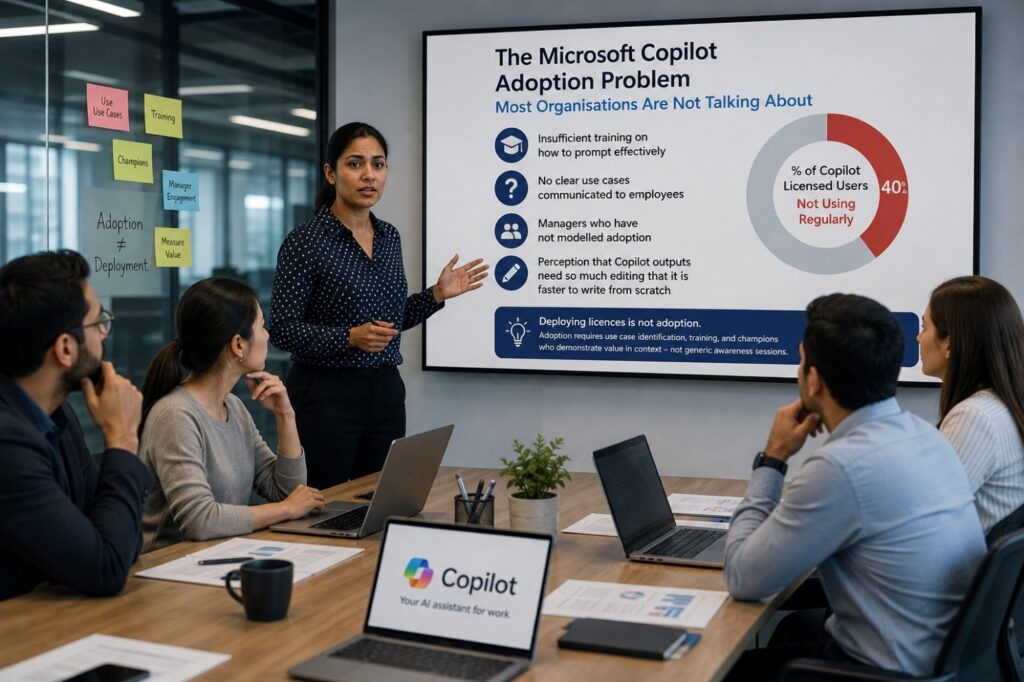
| The Microsoft Copilot Adoption Problem Most Organisations Are Not Talking About: Copilot licence adoption surveys consistently show that a significant proportion of users who have been granted M365 Copilot licences are not using them regularly. The most common reasons are: insufficient training on how to prompt effectively; no clear use cases communicated to employees; managers who have not modelled adoption; and a perception that Copilot outputs need so much editing that it is faster to write from scratch. Deploying licences is not adoption. Adoption requires use case identification, training, and champions who demonstrate value in context — not generic awareness sessions. |
Frequently Asked Questions — Microsoft Technology Trends 2026
What are the biggest Microsoft technology trends in 2026?
The most significant Microsoft technology trends for 2026 are: the maturation of Microsoft Copilot across M365, Azure, and Power Platform; Azure AI Foundry as the enterprise AI development platform; Microsoft Fabric consolidating the data and analytics estate; Microsoft Entra replacing legacy Azure Active Directory for modern identity; Security Copilot adding AI to security operations; Power Platform expanding low-code automation with Copilot; and GitHub Copilot Enterprise becoming standard practice in software development teams.
What is Microsoft Copilot and how does it help businesses?
Microsoft Copilot is an AI capability built into Microsoft 365 and other Microsoft products, powered by OpenAI’s large language models running on Azure. In practical terms, it drafts documents, summarises emails and meetings, generates presentations, creates Excel formulas, builds Power Automate flows, and answers questions about business data. Copilot Studio extends this to custom AI agents trained on an organisation’s own data. The business value is highest for knowledge workers who spend significant time producing written content, processing communications, or extracting insights from data.
What is Microsoft Fabric and how is it different from Power BI and Azure Synapse?
Microsoft Fabric is a unified SaaS data platform that integrates and replaces the separate Microsoft data tools — Azure Synapse Analytics, Power BI, Azure Data Factory, and Azure Data Lake Storage — into a single product on a shared storage layer called OneLake. Rather than managing separate services that need to be integrated, Fabric provides a single experience for data engineering, data science, real-time analytics, and business intelligence. For organisations that have invested in multiple Azure data services, Fabric offers architectural simplification and tighter integration, though migration requires planning.
Is Microsoft Copilot worth the additional licence cost?
The ROI case for M365 Copilot licences depends heavily on the role and the use case. Knowledge workers who generate large volumes of documents, emails, and presentations, and who process significant meeting content, show the clearest productivity gains in adoption studies — with meaningful time savings per week in validated cases. Roles where content creation is a minor part of the workload show weaker ROI. The additional cost (approximately $30 per user per month) requires deliberate use case selection and training investment to justify. Blanket deployment across all users without targeted adoption support is unlikely to show meaningful returns.
What is Microsoft Entra and why should organisations migrate to it?
Microsoft Entra is Microsoft’s cloud-native identity and access management platform, replacing the older Azure Active Directory branding with a more complete portfolio that includes Entra ID, Entra Permissions Management, and Entra Verified ID. Moving to Entra-based conditional access and passwordless authentication (passkeys, Windows Hello for Business) significantly reduces the risk of credential-based attacks — the most common initial access method in enterprise breaches. For organisations still federating from on-premises Active Directory, migrating to Entra cloud-native identity is one of the highest-impact security improvements available in the Microsoft stack.
How should businesses approach Microsoft AI governance in 2026?
Microsoft AI governance in 2026 requires addressing three layers: data access (ensuring Copilot and AI services only access data that users should see, which requires M365 permission auditing), policy compliance (using Microsoft Purview to track AI usage, model access, and output sensitivity), and output quality (building review processes for AI-generated content in high-stakes contexts). Microsoft provides governance tooling through Purview, the Microsoft AI Hub in the admin centre, and sensitivity labels — but the tools only work if they are actively configured and monitored, not just licensed.
The Microsoft Stack in 2026 — What Actually Matters
Microsoft’s product evolution in 2026 is genuinely significant for organisations that depend on the Microsoft stack. Copilot changes how knowledge work gets done. Fabric changes how data is managed and consumed. Entra changes how identity and security operate. Azure AI Foundry changes what it means to build AI-powered applications. These are not incremental improvements — they are architectural shifts.
The organisations that will get the most from Microsoft’s technology in 2026 are not the ones that adopt everything simultaneously. They are the ones that understand their highest-priority gaps — productivity, data, security, or development — and make deliberate decisions about which Microsoft capabilities address those gaps most directly.
The Microsoft ecosystem is large and the pace of change is high. Being selective, thoughtful, and governance-first is more valuable than being early. A well-governed Copilot deployment with twenty licences will outperform a poorly governed deployment of two thousand.
This article is for informational purposes only. Microsoft product capabilities, pricing, and availability change frequently. Always verify current product information, licensing terms, and compliance requirements directly with Microsoft or a qualified Microsoft partner before making purchasing or architectural decisions.
Keywords: Microsoft technology trends 2026 · Microsoft Copilot 2026 · Azure AI trends · Microsoft Fabric · Microsoft 365 trends · Power Platform Copilot · GitHub Copilot Enterprise · Microsoft Entra · Security Copilot · Azure OpenAI Service